
General
Admin language, box name in the network, time zone and the overview of the box settings in the MuPiBox admin interface.
Under Settings → Box & Playback → General you can choose the touchscreen language (German or English), rename the box and set the time zone. Change the Admin language separately in the top-right corner.
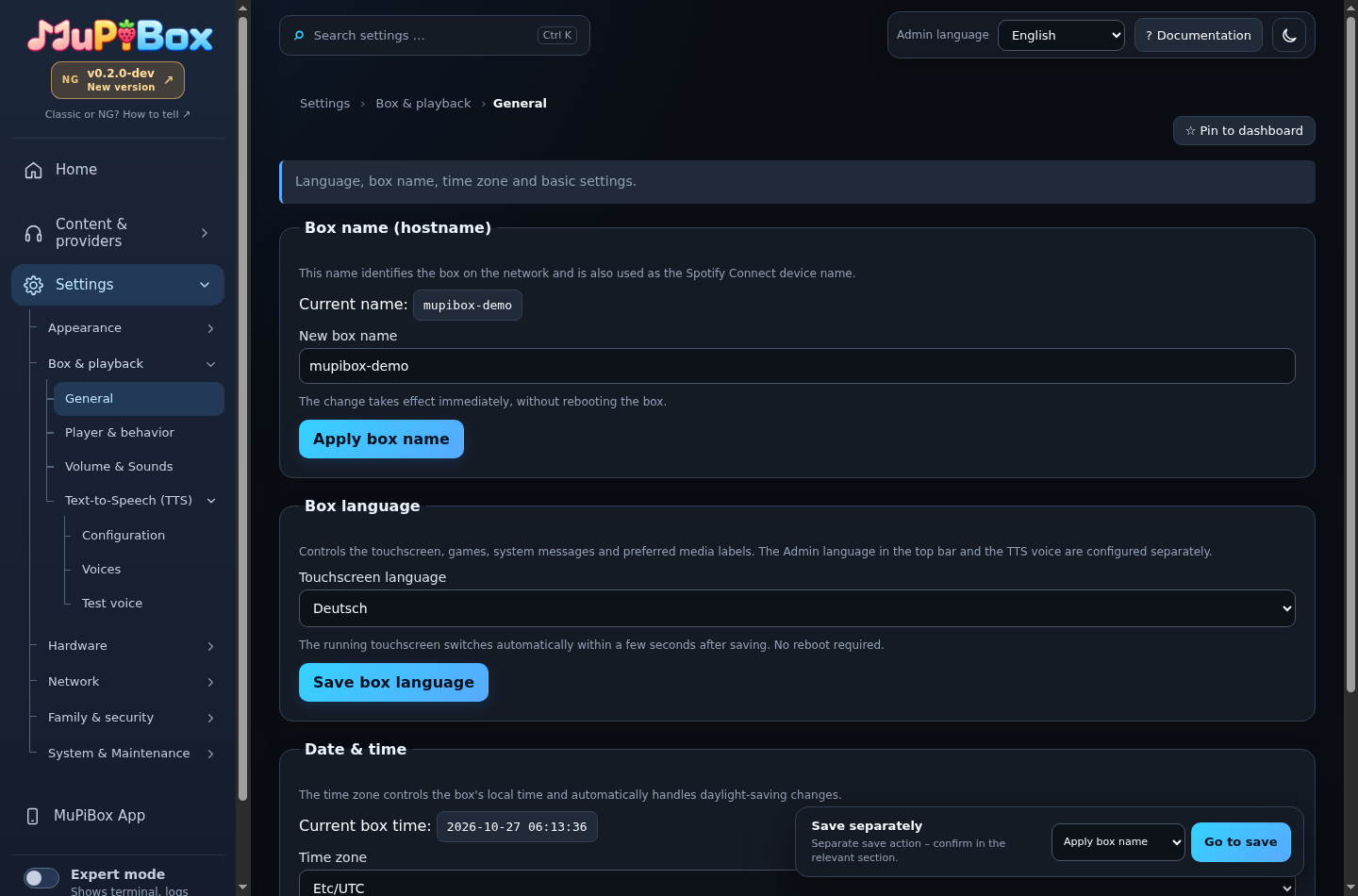
Admin language
Choose the Admin language in the top-right corner (German, English, French, Spanish, Italian, Dutch or Swedish). On the first visit the Admin interface follows your browser language. This does not change the touchscreen language.
Box language
Under Box language, choose Deutsch or English, then select Save box language. This controls the touchscreen, games, system messages and preferred media labels. The display normally updates automatically within a few seconds, without rebooting. The TTS language and voice are configured separately under Text-to-speech. A legacy language setting may be preserved, but languages other than German and English are not yet fully translated on the touchscreen.
Box name (hostname)
The name identifies the box in the network (<boxname>.local), in file sharing and as the Spotify Connect device. Letters, digits and hyphens are allowed. The change takes effect immediately; some services only pick up the new name completely after a restart – the admin interface tells you when.
Date & time
The time zone sets the local time for the status bar, night times, parental control and logs; the box switches daylight saving time by itself. The clock is set over the internet (NTP). Without internet it continues from the last known time after a restart, because the Raspberry Pi has no built-in real-time clock.